Colocation vs Cloud
When owning your hardware beats renting a virtual machine, when it does not, and the questions to ask a colocation facility before you commit to anything.

When owning your hardware beats renting a virtual machine, when it does not, and the questions to ask a colocation facility before you commit to anything.
Carpathian AI is free, needs no account, and runs models on hardware we own in the United States. Generate images, upload documents, all through Carpathian AI.
Fine-tuning teaches behavior, RAG supplies knowledge, prompting shapes both. What the published comparisons found, and how to pick without burning a GPU budget.
Why AI chat can be free, what happens to what you type, and the short checklist worth running before anything from work goes into a chat box.
Object storage explained: how it differs from a server disk, what it is good and bad at, and the signs that tell you it is time to use a bucket.
Self-hosting an open-weight model or calling a hosted API? The drivers on each side, the break-even point, and the hidden costs.

Colocation means you own the servers and rent space, power, cooling, and network in someone else's building. Cloud means you own nothing physical and rent a virtual machine you can create or destroy in minutes. Colocation wins when your workload is large, steady, and predictable, because you buy the hardware once and pay only to keep it running. Cloud wins when your workload is small, spiky, or still changing shape, because you can resize it on a Tuesday afternoon and stop paying for what you shut down.
Colocation only starts to pay when you have enough steady load to keep bought hardware busy, and enough operational discipline to own the lifecycle of that hardware for the next five years. If you are choosing between virtual options rather than physical ones, VPS vs cloud hosting vs dedicated servers covers that decision instead.
This guide covers what each model includes, where the money goes in both, the signals that tell you colocation is worth pricing out, and the questions to ask a facility before you ship a single server.
Colocation gives you space, power, cooling, physical security, and network uplink. You supply the servers, you own them, and you decide what runs on them. Cloud gives you a virtual machine carved from hardware the provider owns and maintains, billed monthly or by the hour, with the physical layer entirely someone else's problem.
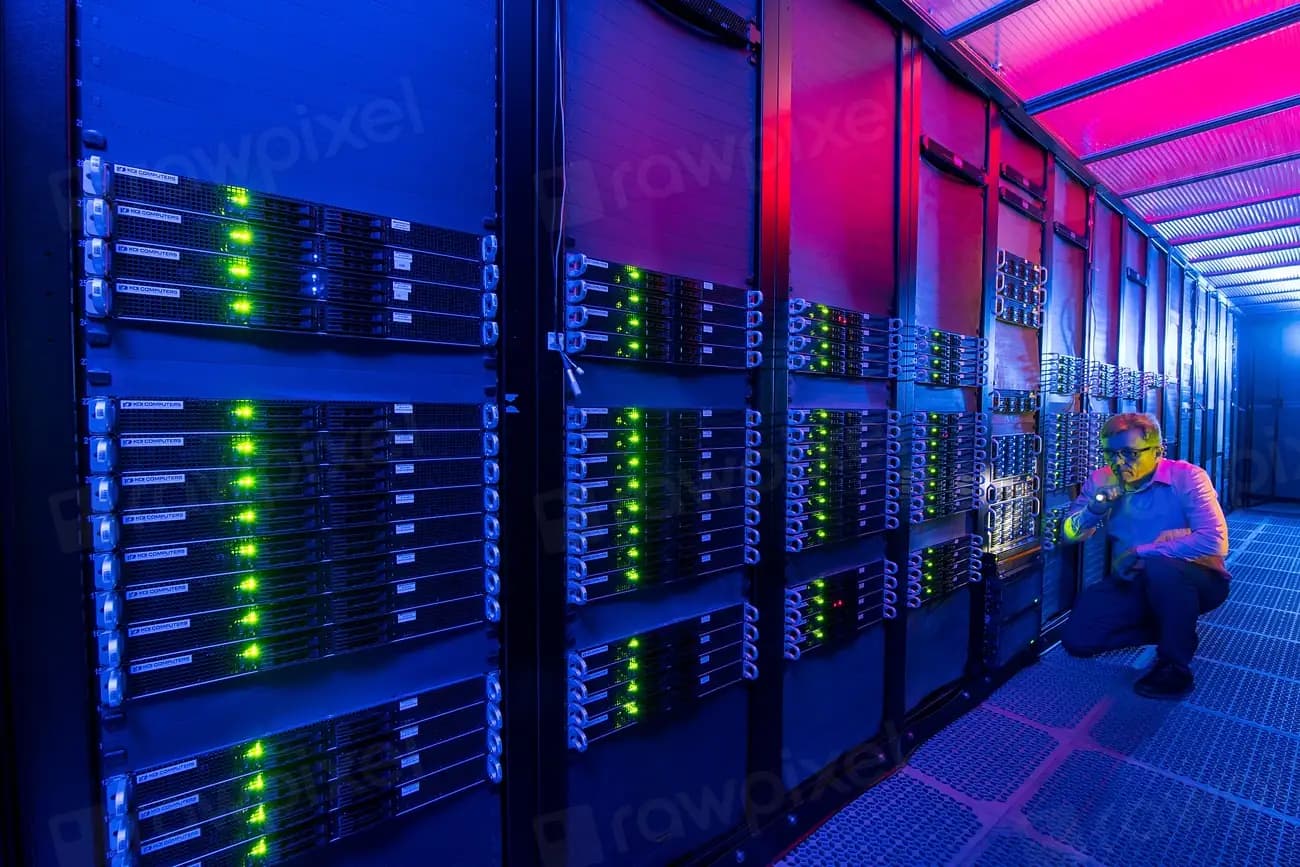
With colocation you are renting a slot in a building. That slot is usually measured in rack units, a fraction of a cabinet, or a whole cabinet, along with a power commitment measured in kilowatts and a bandwidth allowance. The facility provides redundant power, cooling, fire suppression, and controlled access. You provide everything from the metal up: servers, drives, network cards, the operating system, and the labor to keep it all patched. When a drive fails, it is your drive, and you either drive to the building or pay the facility's staff to swap it.
With cloud, that entire layer disappears from your responsibilities. You pick a size, the instance appears, and the provider deals with failed drives, failed power supplies, firmware, and the replacement cycle. You give up the ability to specify exact hardware, and you accept that your machine shares a physical host with other tenants. What you get back is elasticity and the absence of a procurement process.
A helpful way to think about the difference: colocation is a mortgage, cloud is rent. One is cheaper over a long enough horizon if nothing about your needs changes. The other costs more per month and lets you move out with a week's notice.
Colocation converts a monthly bill into an upfront purchase plus a smaller monthly bill. Cloud keeps everything monthly. The comparison only works if you count the whole picture on both sides, which most spreadsheets fail to do because the colocation side has costs that do not appear on any invoice.
A walkthrough of how to build semantic search with embeddings using RAG AI to index and chat with your docs, and when keyword search still wins.
On the colocation side, budget for the servers themselves, spare parts you keep on hand, the rack space and power commitment, bandwidth or transit, remote hands charges, and the staff time to build, patch, and monitor the machines. Then add the replacement cycle. Hardware you buy today is hardware you replace in three to five years, and that replacement is a capital expense you plan for from day one. Also budget for the capacity you are not using, because you size for peak and pay for it constantly.
On the cloud side the invoice is the visible cost, and the visible cost is frequently not the whole cost. Flexera's 2025 State of the Cloud Report, which surveyed more than 750 technical professionals and executive leaders, found that "84% of respondents believe that managing cloud spend is the top cloud challenge" and that cloud budgets are "exceeding limits by 17%" (Flexera). Overruns come from egress fees, forgotten instances, oversized machines nobody rightsized, and storage that never gets cleaned up.
The summary is that colocation's cost is high, lumpy, and predictable, while cloud's cost is lower to start, smooth, and easy to lose track of. Neither is automatically cheaper. The workload decides.
Colocation pays off when utilization is high and constant, when the hardware requirement is specific, or when a contract requires you to own the machines. If your servers would sit near capacity around the clock for years, buying them beats renting them. If they would idle at 8% most of the day, you are buying capacity to keep it warm.
The strongest signals, in rough order of how often they decide the question:
There is an operational prerequisite behind all of these. Colocation assumes someone on your side owns the hardware lifecycle: patching firmware, monitoring drive health, keeping spares, and being reachable when a machine stops responding at two in the morning. That responsibility does not disappear because the building is professionally run.
Cloud wins on anything variable, anything new, and anything small. If you cannot predict your load twelve months out, if the product is still finding its shape, or if a single machine covers your needs, renting is the correct answer and buying is an expensive way to guess wrong.
Specific cases where cloud is clearly right:
Elasticity is the feature you are paying for. If you never use it, you are paying for insurance against a risk you do not carry, and colocation deserves a look. If you use it monthly, it is the cheapest thing on the invoice.
The building matters more than the price per rack unit, and the details that hurt later are rarely on the quote. Work through these before you sign anything or ship anything.
Ask how power is committed and metered: per circuit, per kilowatt, metered on measured draw, or a flat allocation. Ask what happens when you exceed the commitment, since overage rates vary wildly. Ask about redundancy in plain terms: two feeds, UPS, generators, and how often the generators are load-tested. Uptime Institute's 2025 outage analysis identifies power as "the leading cause of impactful outages" (Uptime Institute), which is the whole reason this line of questioning comes first.
Redundancy is a word facilities use loosely. Two utility feeds from the same substation is not the same as two independent grids. Two network uplinks from the same carrier is not carrier redundancy. Two buildings in one city gives you site redundancy, not geographic redundancy, because one regional weather event reaches both. A facility willing to draw that distinction for you unprompted is a facility worth talking to.
Find out who provides the uplinks, how many there are, whether any single one can carry the full load alone, and how failover between them works. Ask whether bandwidth is committed, burstable, or metered, and what the overage rate is. If you also run cloud instances with the same provider, ask whether colocated cabinets sit on the same network as those instances or are separated by the public internet. The answer changes your architecture.
You will need someone in the building to press a button eventually. Ask who performs that work, whether they are facility staff or a contractor, how requests are submitted, what the response time commitment is, what is included versus billed hourly, and whether you get confirmation of what was done. Reboots, cable swaps, and media loads should be routine and cheap.
Ask who can enter, how identity is verified, whether cabinets are individually locked, and whether access is logged and reviewable. If your compliance posture depends on controlling physical access, you need the audit trail, not the assurance.
Latency follows distance, so a facility near your users is worth something measurable. Natural risk is worth more. Ask what the site's exposure is to flooding, seismic activity, hurricanes, and wildfire, and what the grid situation looks like in that region. Where the building sits also determines which jurisdiction's rules apply to the data inside it, which is covered in data residency versus data sovereignty.
Read the term length, the price escalator, and the notice period. Then read how you leave. Ask what it takes to remove your hardware, what notice is required, and whether any fees apply. A facility that makes leaving awkward has told you how it plans to negotiate your renewal.
An uptime commitment is a credit schedule, not a guarantee. Read what counts as downtime, what is excluded for maintenance, how you file a claim, and what the credit is worth. Treat the number as a statement of intent and the credit as small.
Most teams that colocate end up running a hybrid, and it is usually the right shape. Own the steady, heavy, storage-hungry workloads where the economics favor buying. Rent the variable, experimental, and standby capacity where elasticity is the point. The two connect over a private link, and each part does what it is good at.
The pattern shows up naturally. A database with a large, slow-growing dataset and predictable query load runs well on hardware you own. The application tier in front of it, which needs to scale with traffic and gets redeployed weekly, runs better on instances you can replace without a screwdriver. Batch processing that runs for four hours a night is a rental. Archival storage is a purchase.
The one thing worth guarding against is a hybrid that happened by accident. If you drifted into running two environments because nobody decided, you have doubled your operational surface without gaining anything. Hybrid is worth it when each side is there for a stated reason you can defend.
Price both options over five years, not one. Include hardware refresh, spare parts, and staff time on the colocation side, and include egress, storage growth, and the instances you will forget to turn off on the cloud side. If the numbers land close, choose the cloud, because flexibility is worth something and a bad guess is cheaper to correct.
Buy hardware when you know exactly what you need it to do and how long it needs to do it. Rent it when you do not. That is close to the whole rule, and it holds up better than any comparison of list prices.