

Tired of political texts?
STOP! automatically replies and unsubscribes you if you have Text Message Forwarding set up on your Mac. Your messages never leave your Mac, and everything is processed locally.
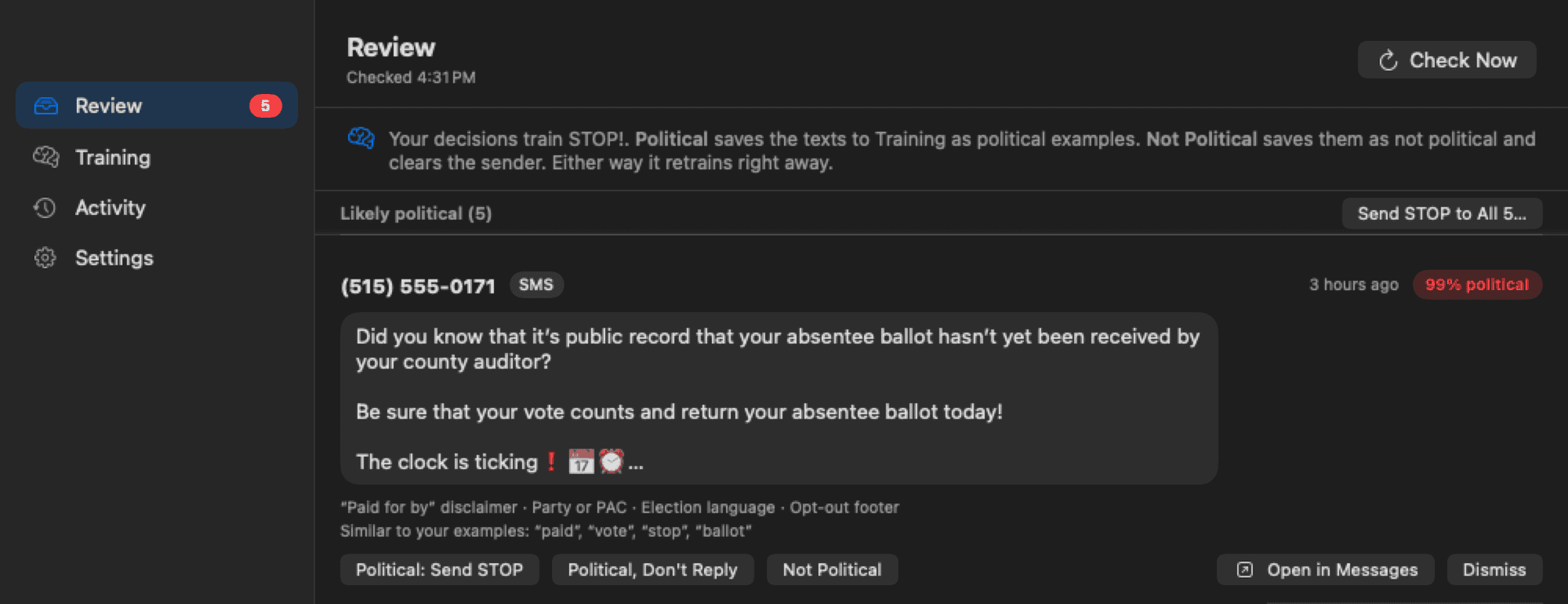
How STOP! decides a text is political
STOP! integrates with Messages locally on your Mac, analyzes texts for keywords, and with fancy math and dark magic, scores how confident it is that a text is political, based on how we trained it and how you refine it.
It skips people you know
Anyone in your contacts, anyone you have texted, and every group chat is left alone, along with any sender you have marked not political.
It learns from you
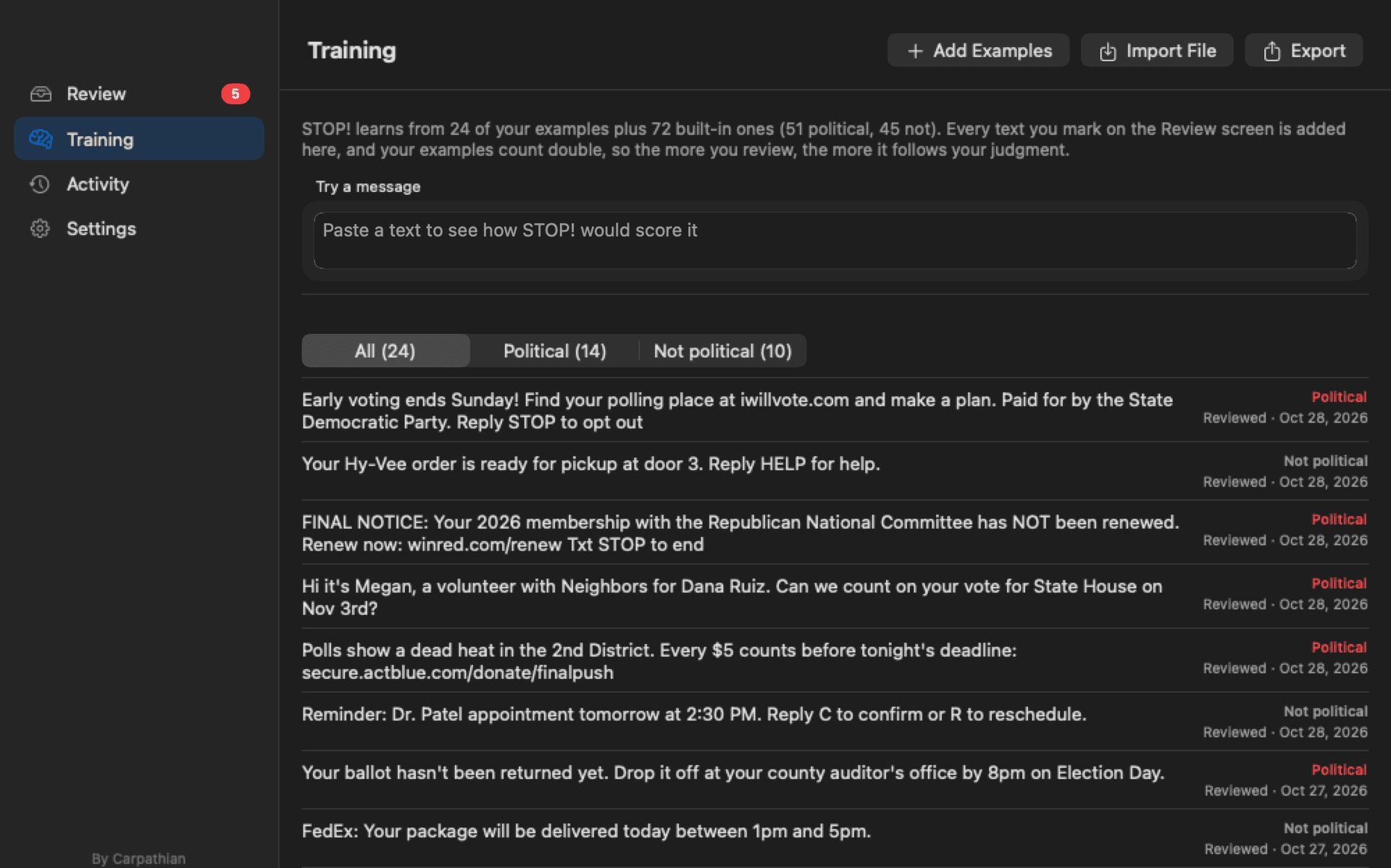
As you mark your first few messages, the algorithm learns, and the app gets better the more you use it. It looks for the patterns campaigns use, like “Paid for by” and donation links.
You have full control
STOP! unsubscribes you once you confirm on the Review screen, then can delete the conversation from Messages. Automatic mode handles the highest confidence matches from unknown senders, and it is off until you turn it on.
How it learns
Every text you confirm becomes a future example, and every text you mark not political teaches it what not to flag. The more you review, the more it automatically detects the way you would.
You can import your own files of texts too, as JSON, CSV, or plain text, and export what STOP! has learned so you can apply it to other Macs running STOP!
A cleaner iMessage inbox
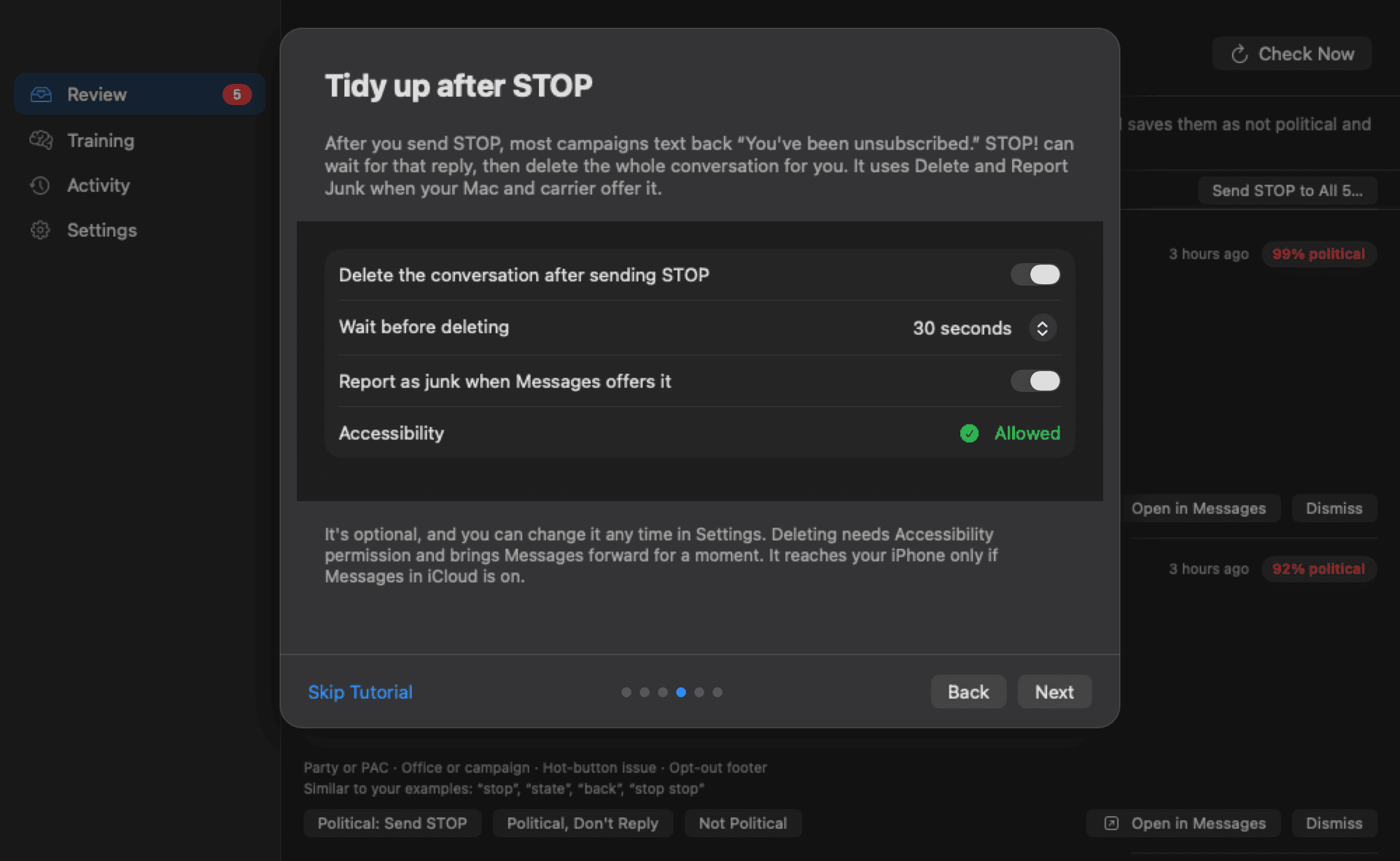
Campaigns usually text back that you are unsubscribed. STOP! can wait for that reply, then delete the whole conversation, and report it as junk when your Mac and carrier offer it.
It is off until you turn it on, and you pick how long it waits before deleting.
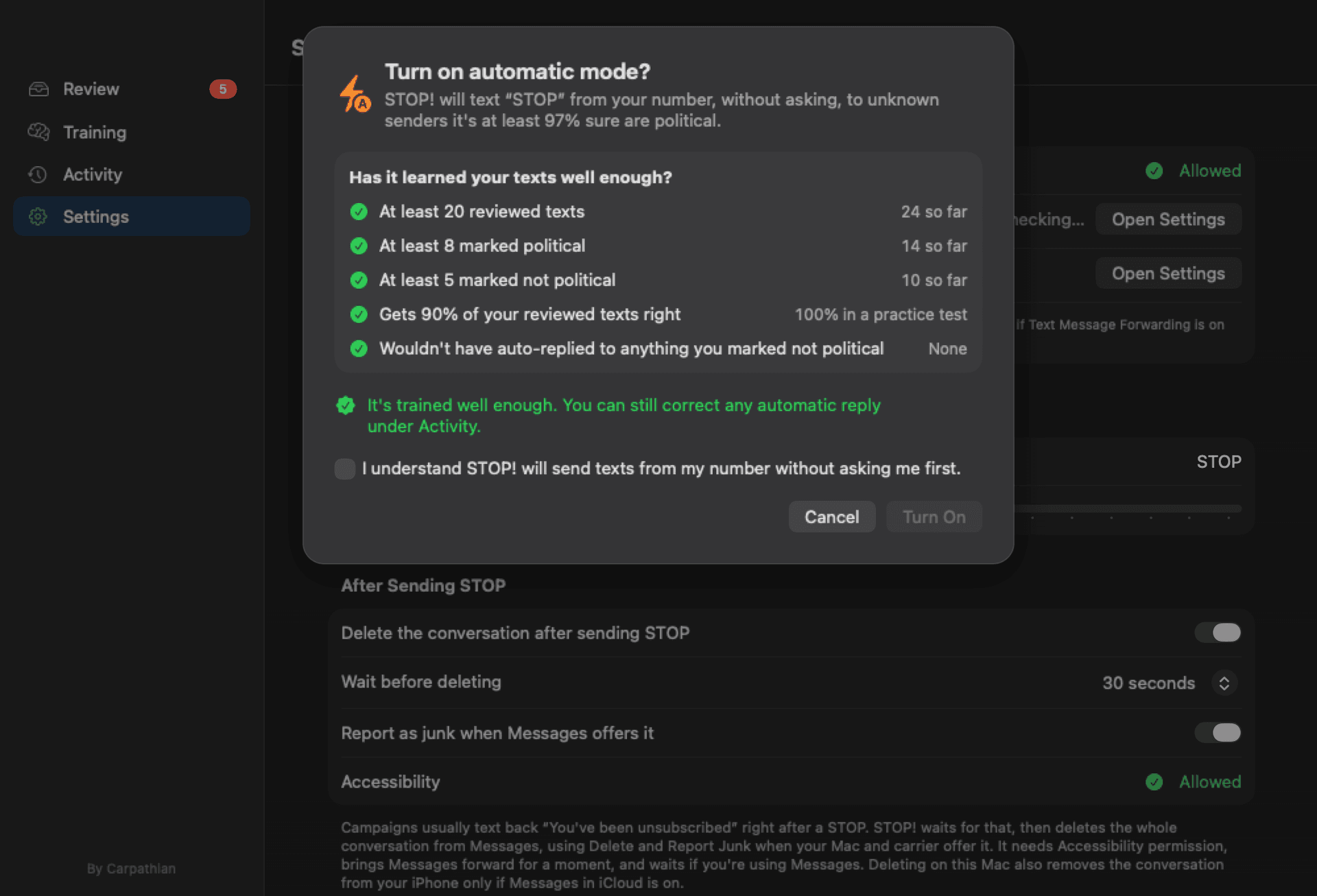
Automatic mode warns you until it understands your preferences
STOP! will only reply on its own once it has learned enough from your reviews and gets them right. Even then, it only answers unknown senders it is at least 97% confident about.
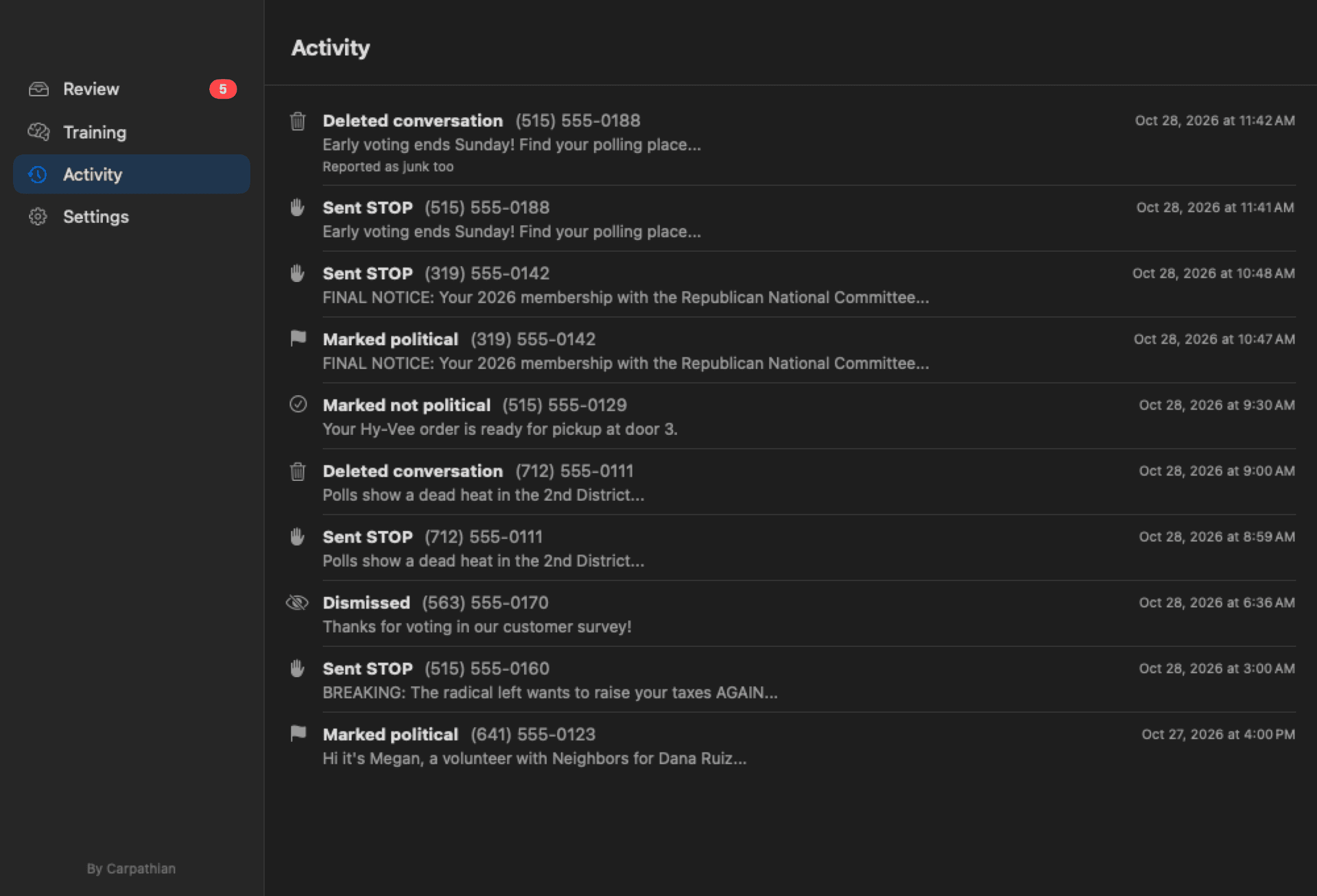
Every automatic reply shows up under Activity, where you can correct it and further improve its detection.
Built around privacy
Your texts, contacts, and what the app learned stay on your Mac.
STOP! talks to Carpathian to activate your license and to check for updates, and to nothing else.
We don’t collect analytics, usage data, metrics, or text messages of any kind.
All replies are sent locally through Messages, like any text you send, and Carpathian never sees any of it.
Setup takes only a few moments
Here is what STOP! needs to work, and why it needs each one. None of it lets your texts leave your Mac, and STOP! walks you through every step the first time it opens.
Text Message Forwarding Enabled
Most campaign texts arrive on your iPhone as regular SMS. Forwarding sends a copy to your Mac so STOP! can see them too. It is a built-in Apple feature, and you can turn it off any time.
Full Disk Access
macOS keeps your Messages history behind this one switch. STOP! only reads it, never changes it, and nothing it reads leaves your Mac.
Contacts
This is how STOP! knows who not to respond to. Friends, family, and anyone in your contacts are never flagged, and your contacts stay on your Mac.
Automation
This lets STOP! send the STOP reply through Messages for you. macOS asks the first time a reply goes out, and STOP! only sends what you approve, or what automatic mode handles if you turn it on.
Accessibility
Only needed if you want STOP! to delete messages afterward and report junk in Messages for you. Even if you skip it, everything else still works.
Have questions?
If we don't cover something here, it might be on the STOP! support page. You can always email support at info@carpathian.ai.
Can STOP! block the sender?
What happens when I get a new Mac?
Does STOP! use AI?
What if I lost my license key?
Send “STOP” and silence those incredibly annoying texts.
STOP! is a Mac app that answers political texts for you, keeps your messages clean, and keeps your privacy at the center. Need help or have questions?