Which Hosting Type Is Best for Small Websites?
Shared, VPS, or cloud? How to pick the right hosting for a small site, what to evaluate, and the red flags experienced users warn about.


Shared, VPS, or cloud? How to pick the right hosting for a small site, what to evaluate, and the red flags experienced users warn about.

VPS, cloud, or dedicated? What each one is, what it costs in money and effort, and how to pick based on traffic, resilience, and budget.
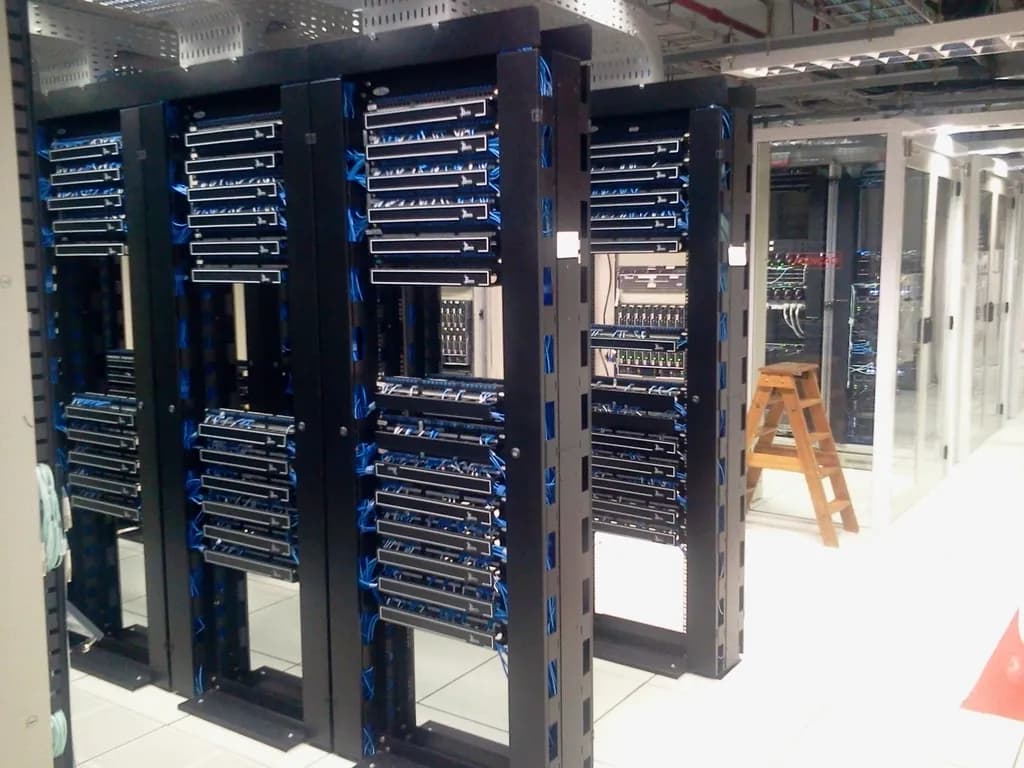
A plain guide to cloud hosting: how your site runs across a pool of machines, how pooled resources and scaling work, and the honest pros and cons.

No hosting plan is unlimited. Here is why hosts use the word, where the caps hide, and how to find them before you buy.

Shared hosting vs VPS is a timing question. Here are the signs you have outgrown shared hosting, what changes on a VPS, and how to switch without downtime.

IaaS, PaaS, and SaaS in plain terms: what the provider runs, what you run, examples of each, and how to choose the model that fits your project.
For most small websites, shared hosting or a small managed plan is the right starting point, and you do not need anything bigger yet. A brochure site, a portfolio, or a low-traffic WordPress blog runs comfortably on shared hosting. You move up to a VPS or cloud hosting when you need consistent speed, root access, or the freedom to run software the cheap plan blocks, not before. What matters is matching the host to where your site is now.
This guide covers the four main hosting types, how to evaluate any host before you buy, and the specific signs that tell you it is time to upgrade. By the end you should be able to pick a plan with confidence and skip the upsells you do not need.
There are four common hosting types, and they differ mainly in how much of a server is yours. Shared hosting splits one machine among many sites. A VPS gives you a private slice of one. Cloud hosting spreads you across a pool of machines. A dedicated server is an entire physical machine for you alone. Cost and control both rise as you move down that list.
Think of it like housing. Shared hosting is a room in a crowded house: cheap, but your neighbors affect you. A VPS is your own apartment with walls and a lock: your space, your rules, within a building you share. Cloud hosting is more like a hotel chain: if one location has a problem, you are moved to another and barely notice. A dedicated server is a house you own outright: total control, and total responsibility.
The cost climbs in roughly that order. Shared hosting is cheapest and suits brochure sites, small blogs, and low-traffic pages. A VPS costs a little more and fits growing sites that need custom software or root access. Cloud hosting is usually billed by usage and earns its keep when traffic is unpredictable or uptime is critical. A dedicated server costs the most and only makes sense for heavy, steady workloads. For a small website, the decision is almost always shared versus VPS versus cloud. Dedicated servers are overkill until you are running something demanding, so we will focus on the first three.
The hosting type matters less than the quality of the host you pick, and the marketing rarely tells you the whole story. Before you commit to any plan, work through this checklist. It is built from what experienced administrators on Hacker News and hosting forums repeatedly warn newcomers about, and it is the difference between a host you forget about and one you fight with.
No plan is unlimited. "Unlimited" storage and bandwidth almost always sit on top of hidden caps on CPU time, memory, disk operations, and inodes (the number of files you can store). As one Hacker News commenter put it, those claims "are false because of other rules around inode limits and cpu limits" (Hacker News). Before buying, hunt down the plan's CPU, memory, and inode limits. If you cannot find them, that itself is a red flag.
Hosts sell more capacity than they physically have, betting that not everyone uses it at once. This is normal, but the degree varies, and it is why a cheap server can feel sluggish for no obvious reason. "Every provider oversubscribes," one administrator noted, because "they do not expect and cannot handle 100% utilization by their subscriber base" (Hacker News). On a VPS, you can measure this yourself: high "CPU steal time" in your server stats is a strong sign the host is overselling and you are not getting the resources you paid for.
A "99.9% uptime SLA" sounds like a promise that your site stays up. It is not. It is usually a promise to credit your account if it does not. As one commenter bluntly explained, "an SLA of 100% just means your account will be credited for any downtime. It doesn't mean that the company guarantees 100% uptime" (Hacker News). Those credits are typically small. Read what the SLA covers, and treat uptime numbers as a goal, not a guarantee.
On usage-based cloud plans, the cost to watch is egress: the fee to move data out. It can be marked up steeply, and there is frequently no hard spending cap to stop a bad month from becoming a bad bill. One widely shared account described being charged thousands for transfer that "costs $180 elsewhere" (Hacker News). For a small site this is rarely a problem, but if you choose a metered cloud plan, check the egress rate and whether you can set a spending limit.
Assume the host's backups will fail you at the worst moment, and keep your own copy somewhere else. This advice comes up in nearly every hosting horror story. "Always make backups," one administrator wrote. "If a provider goes deadpool on you all of the sudden, you should always have fresh backups in a remote site" (Hacker News). The worst cases involve accounts suspended with no warning and the owner locked out of their own data (Hacker News). A host's backup feature is a convenience, not your safety net. Your safety net is an independent, off-site copy.
When something breaks, support quality is everything, especially if you are not a server expert. "Your biggest concern should be accessibility to support that actually knows how to do the things you're doing," one veteran advised a beginner (Hacker News). Cheap hosts often run lean, outsourced support with multi-day response times. Test it before you depend on it: send a presales question and see how fast and how well they reply.
The headline price is frequently a teaser. Budget hosts are known for low introductory rates that renew much higher, so the second year can cost several times the first. Decide based on the renewal price, the one you will keep paying, not the sign-up discount.
This is the single most common reason people leave shared hosting. Shared plans lock down what you can install and often kill long-running processes, which breaks anything beyond a standard website. "Most shared hosts have daemons that kill long running processes," one developer explained, whereas on a VPS "you can install whatever you want" (Hacker News). If you need a specific runtime, a background worker, or a custom service, you need a VPS or cloud.
Decide honestly whether you want to be the system administrator. An unmanaged VPS is cheaper but hands you the security updates, configuration, and troubleshooting. Managed hosting (including what we offer at Carpathian) does that work for you, which costs more but saves you from running a server you are not comfortable running. Neither is better in the abstract. It depends on your skills and how you want to spend your time.
Ask how hard it is to leave before you arrive. Proprietary tooling and high egress fees can make moving expensive, which is another reason to keep portable, off-site backups. A host that makes it easy to export your data is quietly telling you it expects to keep you by being good, not by trapping you.
Match the host to what your site needs today, with a clear path to grow. Most small sites belong on shared or a small managed plan. You move to a VPS when you need control or run into shared-hosting limits, and to cloud when your traffic is spiky or resilience matters. Spend for what you are doing now, not for what you might do someday.
Here is how to place yourself.
The loudest piece of advice from experienced builders is that most people reach for too much. "You can get so much out of a single $30/month VPS," one wrote, lamenting that "we've been indoctrinated that everything needs to be on hyperclouds" (Hacker News). A single right-sized server runs the vast majority of small sites comfortably. The big, complex cloud platforms are powerful, but for a small website they are usually expensive overkill. If your site is not slow under load, you probably do not need to spend a dollar more today.
Run these steps in order and you will land on the right plan.
The goal is not the biggest plan, and not even the smallest. It is the one that matches what your site is doing right now, with a clear and cheap path to grow when that changes. Pick for today, keep your own backups, and let the host earn the right to keep you.